Synonyms
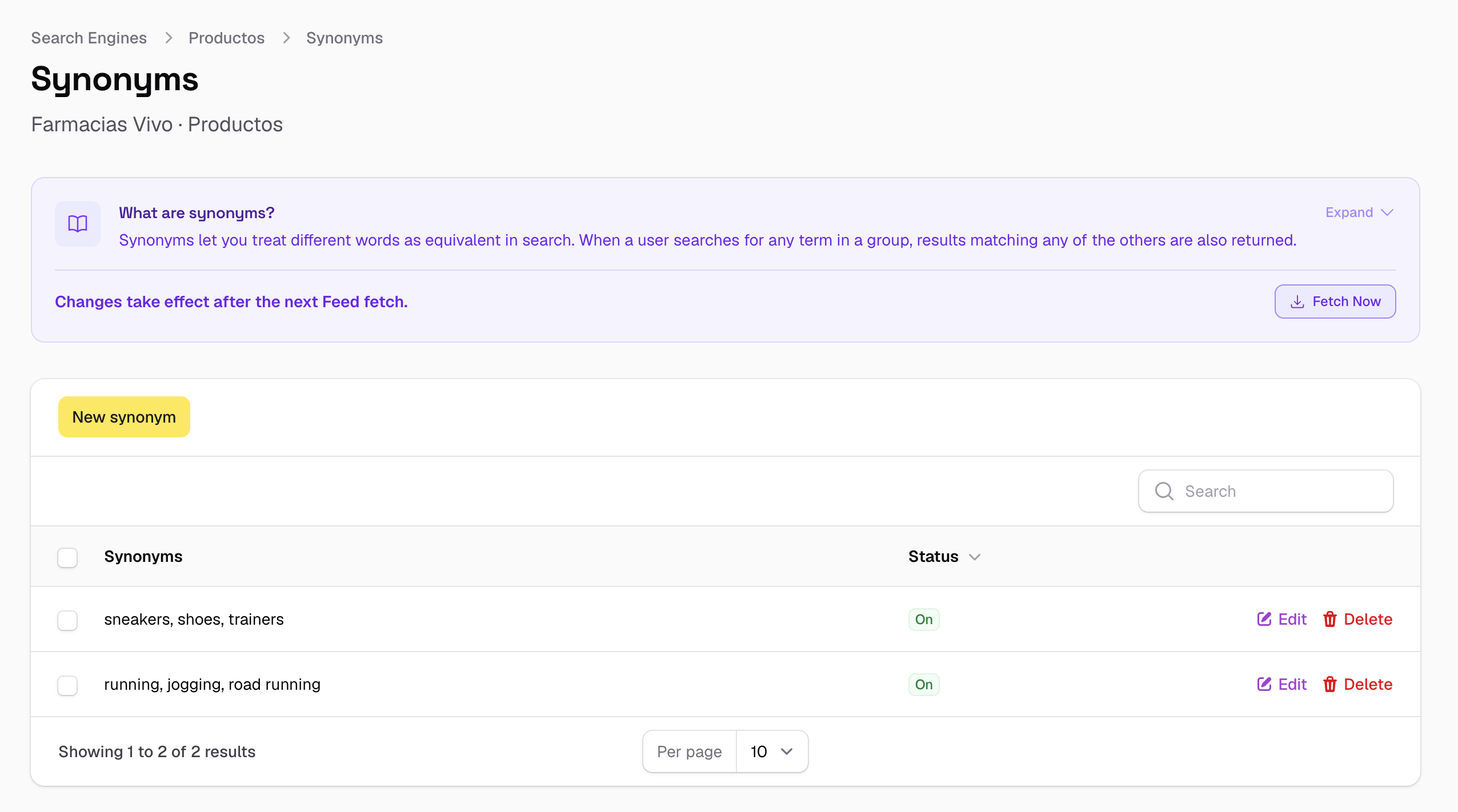
Synonyms let you tell SoloSearch that certain words should be treated as equivalent. When a user searches for any term in a synonym group, results containing any of the other terms in the group are also returned.
Go to Search → Search Engines → [your engine] → Synonyms.
Synonyms are bidirectional
Every synonym group works in both directions automatically. You do not need to create separate entries for each direction — adding sneakers, trainers means a search for "sneakers" returns products with "trainers" and vice versa.
Adding a synonym group
Each entry is a comma-separated list of equivalent terms. All terms in the list are treated as interchangeable.
| Entry | What it does |
|---|---|
sneakers, trainers, kicks |
Any of the three returns results for all three |
running shoes, runners, jogging shoes |
"runners" finds running shoes and vice versa |
waterproof, water resistant, weatherproof |
Users find the same products regardless of the term they use |
adidas, addidas |
Catches a common misspelling of the brand |
women's, ladies, womens |
Normalises gender variants |
A few tips:
- Use lowercase — matching is case-insensitive.
- Keep groups focused. A group with ten terms is harder to maintain than several smaller ones.
- The search engine already corrects small typos automatically (one or two character errors), so synonyms for misspellings are most useful for larger or systematic errors — like a consistently misspelled brand name (
addidas,nke) that goes beyond what automatic correction handles.
Enabling and disabling
Each synonym group has a status toggle. You can disable a group to suspend it without deleting it — useful for seasonal campaigns or terms you want to revisit later.
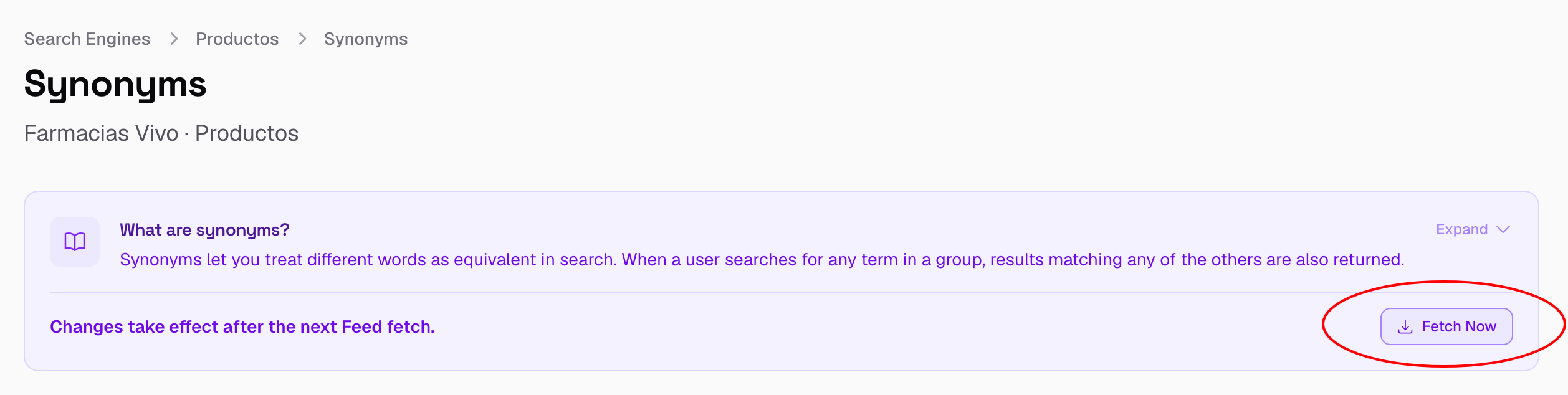
Synonyms require a Feed Reindex
Unlike most settings, synonyms are part of the search index configuration rather than the query. Adding or changing a synonym group requires a Feed Reindex to take effect — the index needs to be rebuilt with the updated synonyms applied during the Parse step.
You can trigger this directly from the Synonyms page with the Fetch Now button, without having to wait for the next scheduled run.