Boosts
Boosts let you influence the ranking of search results beyond text relevance. While search fields and weights control how well a product matches a query, boosts let you layer additional signals on top — rewarding bestsellers, promoting in-stock products, demoting discontinued items, or surfacing products from a specific brand.
Go to Search → Search Engines → [your engine] → Boosts.
There are two independent types of boost, each on its own tab.
By Value
A value boost promotes products based on a numeric field. The higher the value in that field, the higher the product ranks — all else being equal.
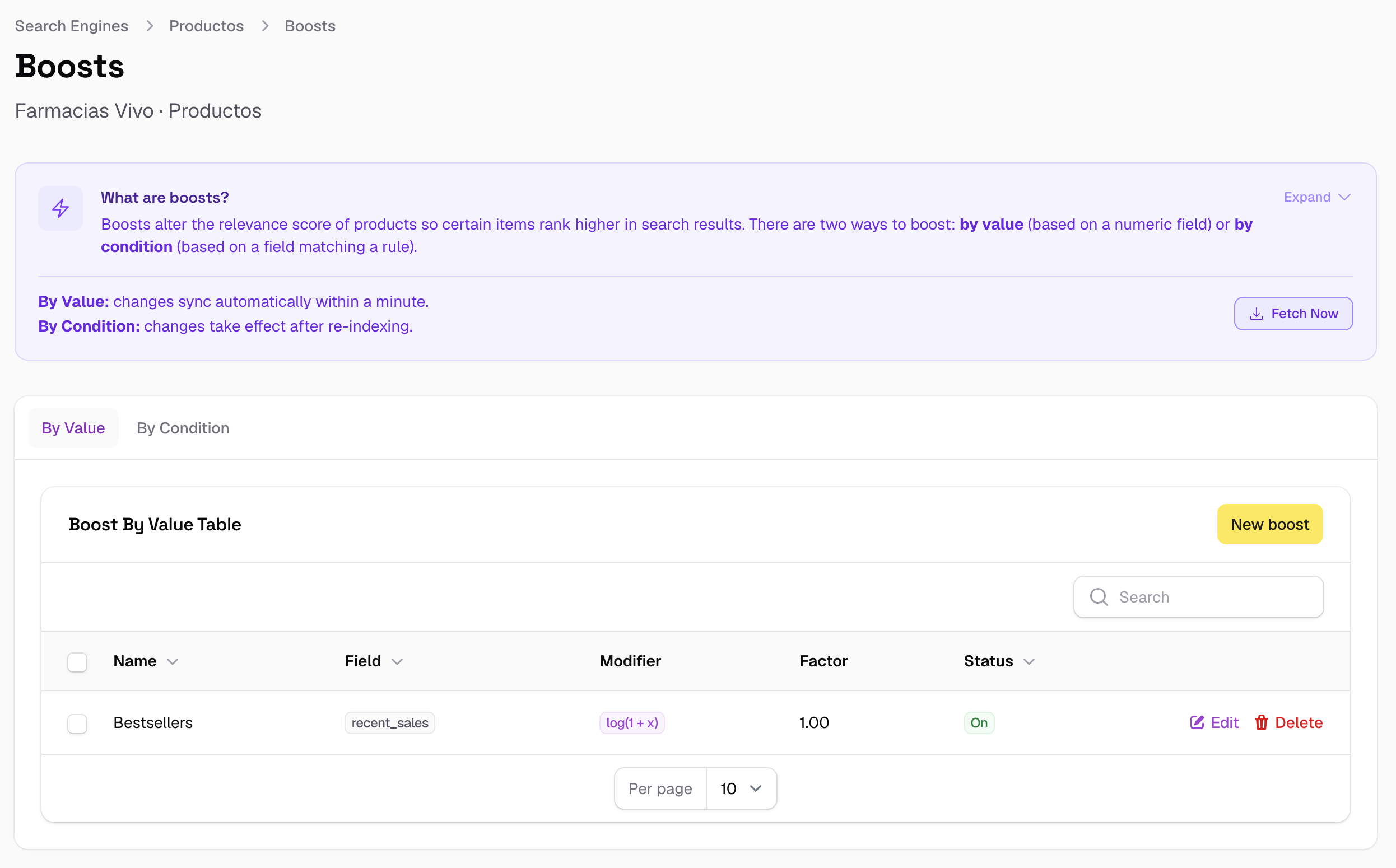
A typical use case: boost products with more sales, higher ratings, or more stock. The boost is continuous — each product gets a different score contribution based on its individual field value.
Fields
| Field | Description |
|---|---|
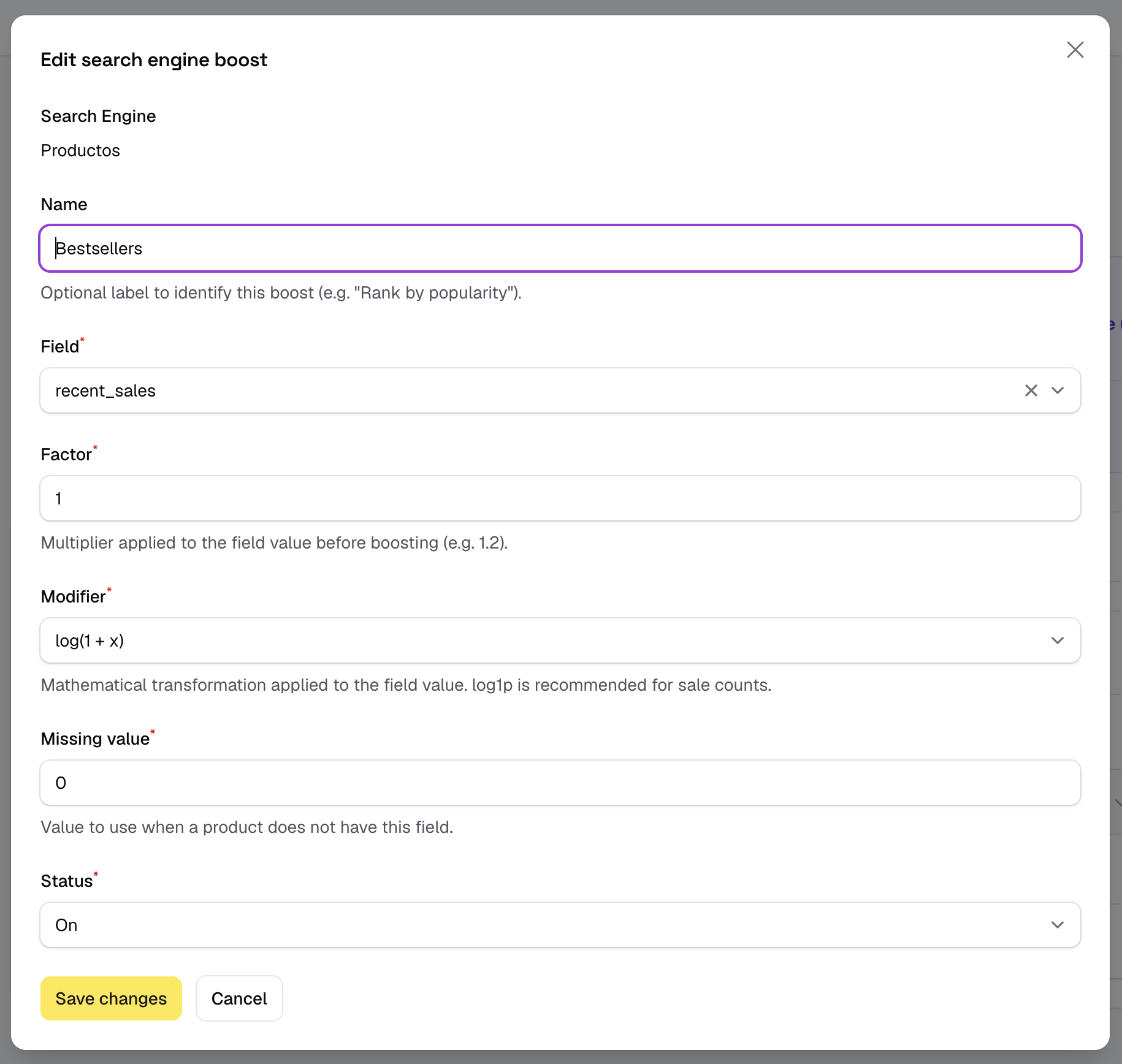
| Name | Optional label to identify the boost in the panel. |
| Field | A numeric feed field (Float type) whose value drives the boost. |
| Factor | How strongly the field value influences the score. Higher factor = more influence. Start low (1–2) and adjust. |
| Modifier | A function applied to the field value before multiplying by the factor. Used to compress wide numeric ranges so that extreme values don't dominate. |
| Missing | The value used for products that don't have this field in the feed. Defaults to 0. |
| Status | Active or inactive. |
Modifiers
Raw numeric fields often have a very wide range — a product might have 1 sale or 50 000. Without compression, the product with 50 000 sales would score enormously higher than one with 500, even if the 500-sale product is a much better match for the query. Modifiers compress the scale.
| Modifier | Formula | Effect |
|---|---|---|
| None (raw value) | x |
No compression. Only use for small, bounded ranges (e.g. star ratings 1–5). |
| sqrt | √x |
Moderate compression. Good for view counts or review counts. |
| log(1 + x) | log₁₀(1 + x) |
Strong compression. Recommended for sales counts or any field with a long tail. |
| log(2 + x) | log₁₀(2 + x) |
Same as above but ensures values near 0 still produce a small positive result. |
| ln(1 + x) | lnᵉ(1 + x) |
Natural logarithm. Similar to log(1+x) but on a slightly different scale. |
| ln(2 + x) | lnᵉ(2 + x) |
Natural log with the same floor-raising effect as log(2+x). |
How the score is calculated
The boost multiplies the product's text relevance score. The formula is:
final_score = text_score × (1 + factor × modifier(field_value))
When a product has no value in the boosted field (or its value is 0), the multiplier is 1 + 0 = 1 — the text score is preserved unchanged. Products with higher field values get a multiplier greater than 1.
Example: boosting by sales count
Boost on sales_count, factor 2, modifier log(1 + x). Three products all match the query "running shoes" with a text score of 8:
| Product | sales_count |
Modifier result | Boost multiplier | Final score |
|---|---|---|---|---|
| A — Nike Air Zoom | 5 000 | log(5001) ≈ 3.70 | 1 + (2 × 3.70) = 8.40 | 8 × 8.40 = 67.2 |
| B — Adidas Ultraboost | 300 | log(301) ≈ 2.48 | 1 + (2 × 2.48) = 5.96 | 8 × 5.96 = 47.7 |
| C — Generic trainer | 0 | log(1) = 0 | 1 + 0 = 1.00 | 8 × 1.00 = 8.0 |
Product A ranks first despite the same text relevance, thanks to its sales history. Product C is not penalised — it keeps its full text score. Without the modifier, the ratio between A and C would be 5001× instead of 8.4×.
Changes take effect automatically
Value boost changes are synced within about a minute. No Feed Reindex required.
By Condition
A condition boost promotes or demotes all products that match a specific field condition. Unlike value boosts (which give each product a proportional score), condition boosts apply the same flat multiplier to every product that satisfies the rule.
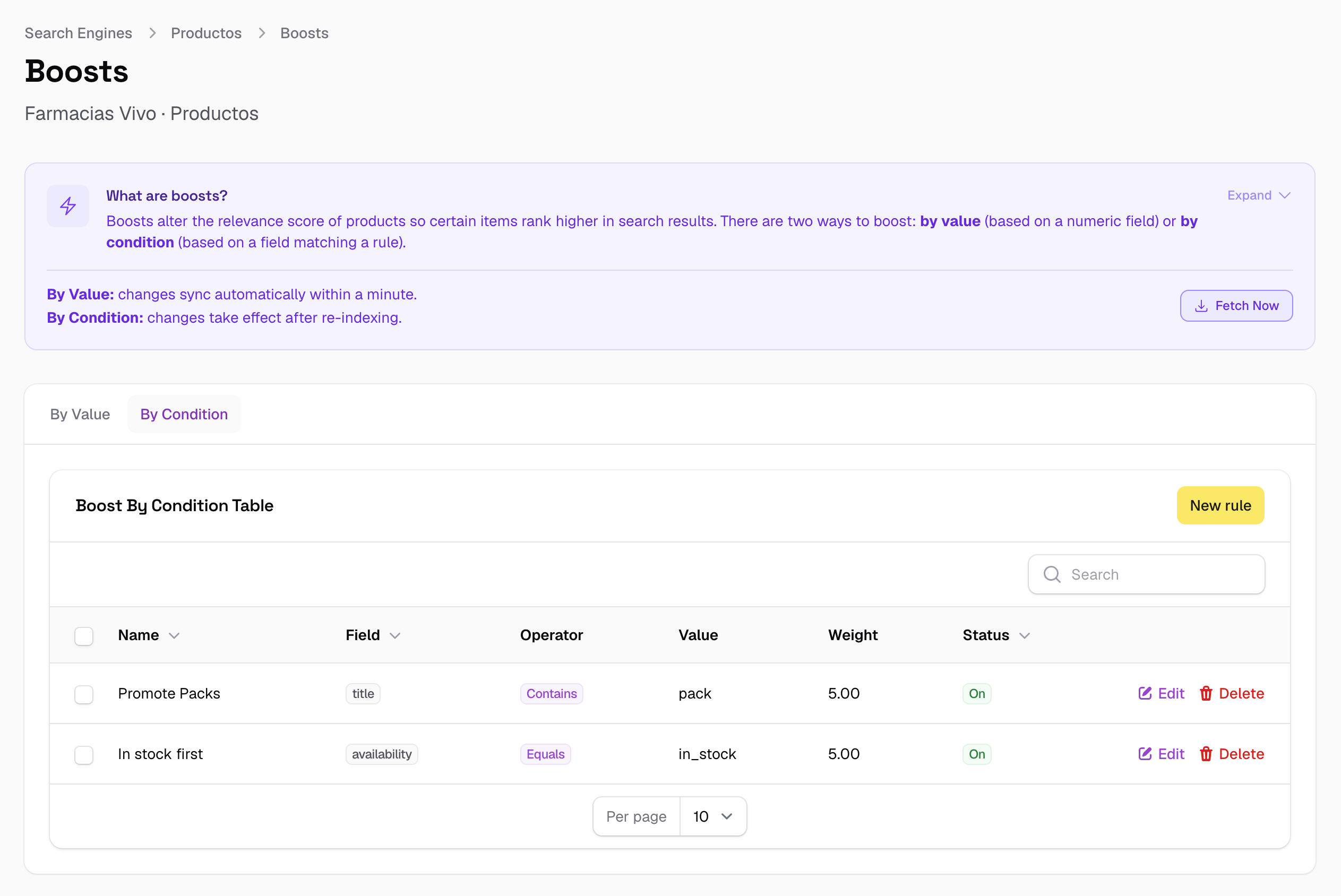
Use cases: promote all Nike products, promote items currently on sale, demote out-of-stock products, demote discontinued items.
Fields
| Field | Description |
|---|---|
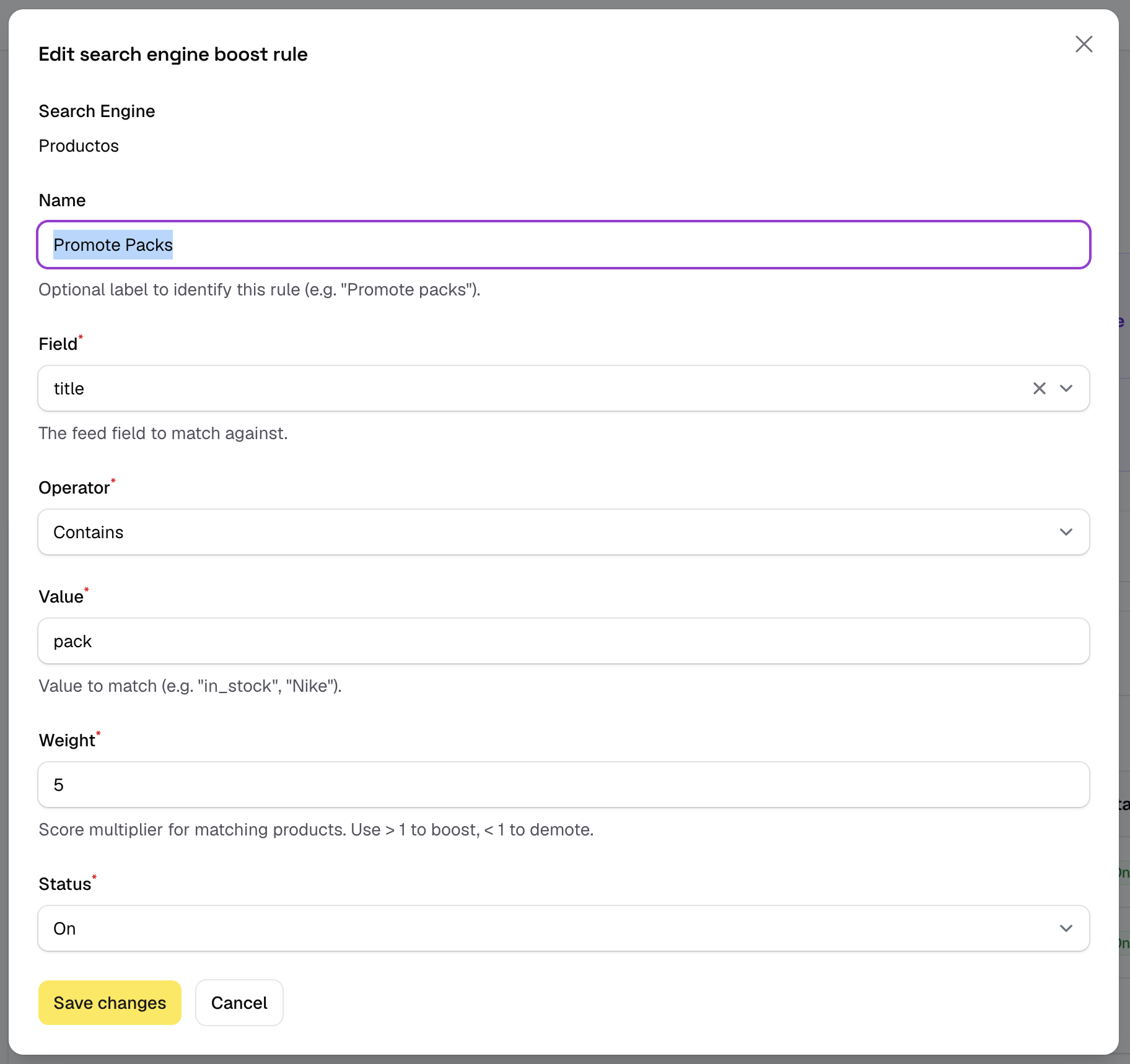
| Name | Optional label to identify the rule (e.g. "Promote Nike", "Demote out of stock"). |
| Field | The feed field to match against. Can be any field type. |
| Operator | How the field value is compared to the target value. |
| Value | The target value to match (e.g. Nike, out_of_stock, true). |
| Weight | Score multiplier applied to matching products. Use > 1 to boost, < 1 to demote. |
| Status | Active or inactive. |
Operators
| Operator | Matches when… |
|---|---|
| Equals | The field value is exactly the target value (case-insensitive). |
| Contains | The field value contains the target value as a substring. |
| Not equals | The field value is anything other than the target value. |
| Not contains | The field value does not contain the target value. |
How the score is calculated
If the product matches the condition, its text relevance score is multiplied by the weight:
final_score = text_score × weight   (if condition matches)
final_score = text_score            (if condition does not match)
Example: promoting a brand and demoting out-of-stock products
Two active rules: brand equals "Nike" → weight 3.0 and stock_status equals "out_of_stock" → weight 0.1.
| Product | Text score | Brand rule | Stock rule | Final score |
|---|---|---|---|---|
| Nike Air Max — in stock | 6.0 | × 3.0 | — | 18.0 |
| Adidas Ultraboost — in stock | 8.0 | — | — | 8.0 |
| Nike React — out of stock | 7.0 | × 3.0 | × 0.1 | 2.1 |
| Generic trainer — out of stock | 5.0 | — | × 0.1 | 0.5 |
The Nike in-stock product ranks first despite having the lowest raw text score. The out-of-stock Nike is demoted to the bottom despite the brand boost, because both multipliers apply simultaneously.
Condition boosts require a Feed Reindex
Adding or changing a condition rule requires a Feed Reindex to take effect. You can trigger this with the Fetch Now button on the Boosts page without waiting for the next scheduled run.